Your ID, under your control
Share your ID without losing control
Ofuska keeps your identity documents encrypted on your phone and helps you prepare copies for sharing. Hide details that are not needed, add the recipient and date, and keep a record of each copy you share. Ofuska never receives your documents, PIN or recipient details.
Practical guide: share only the details that are needed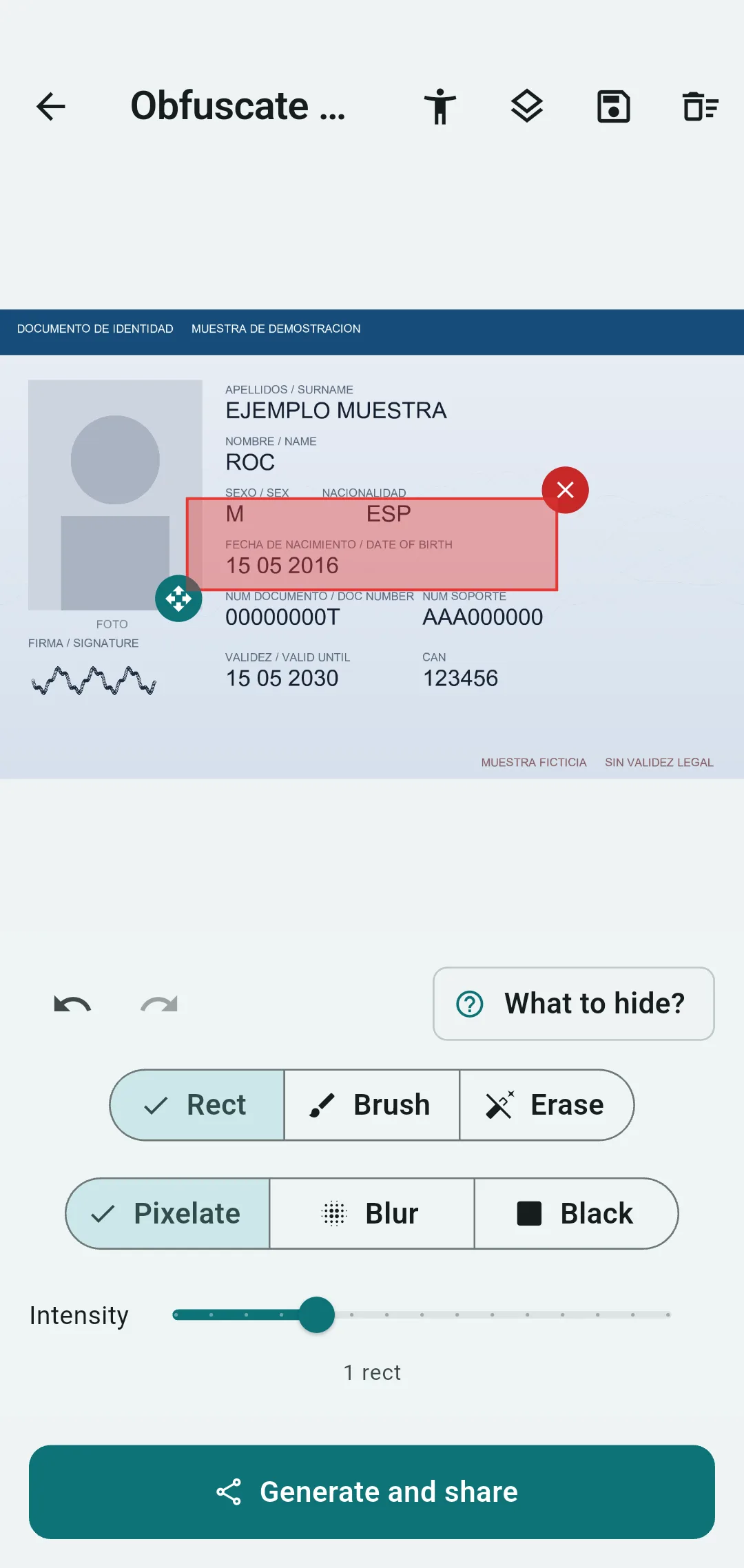
How your copy turns out
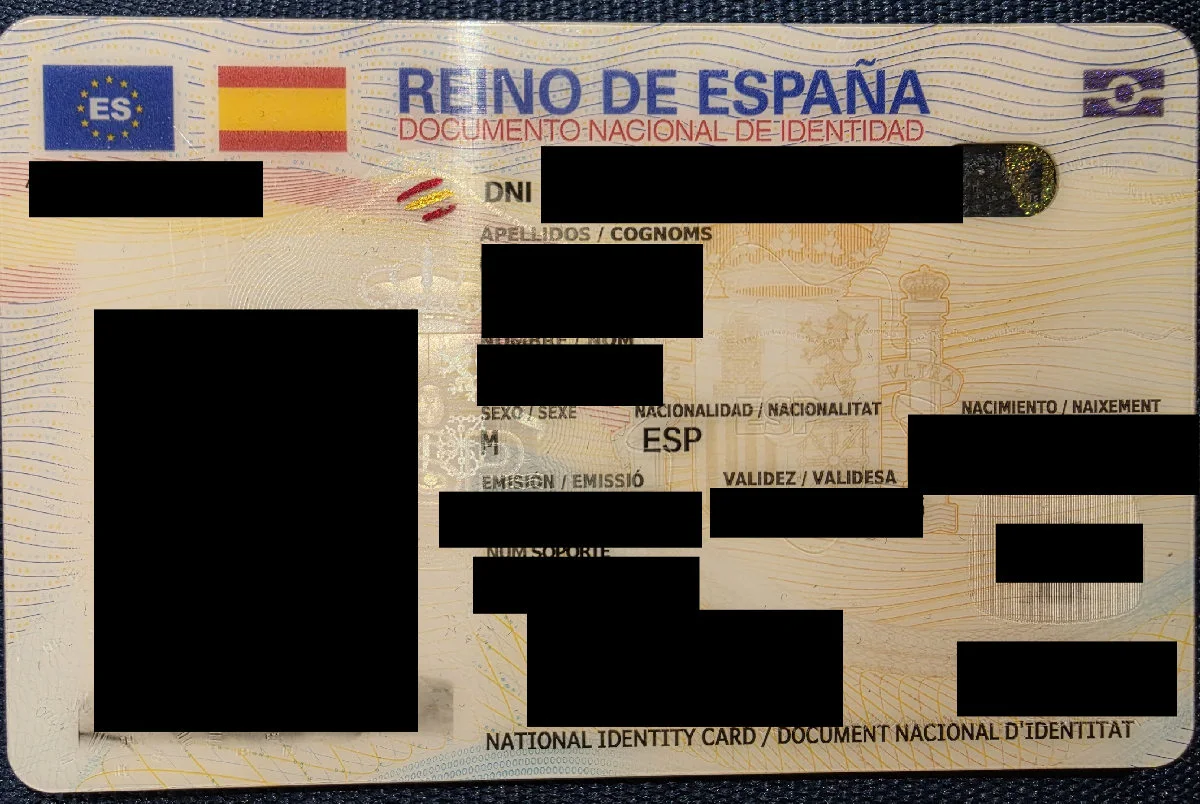
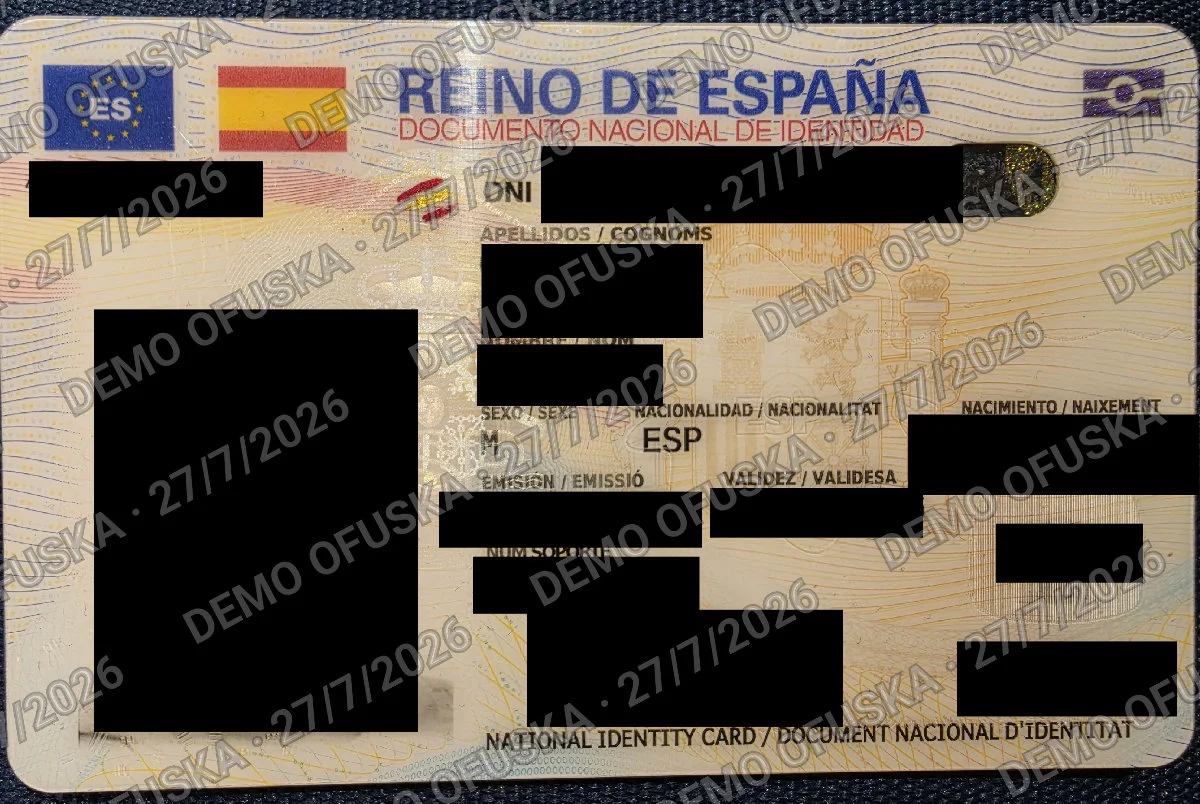
This is a real Spanish ID protected with Ofuska and published with its owner’s permission. The number, name, dates, face, signature, address and MRZ are blacked out. The second version tiles the recipient and date across the image.
The back matters too
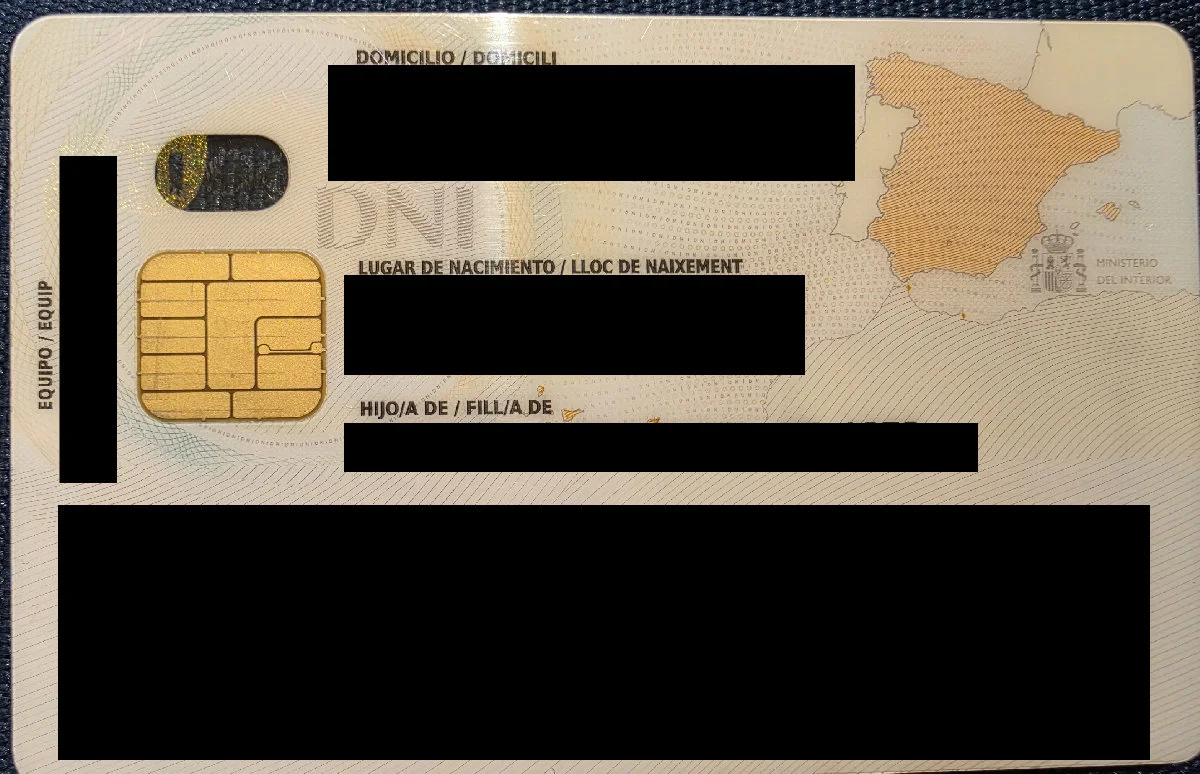
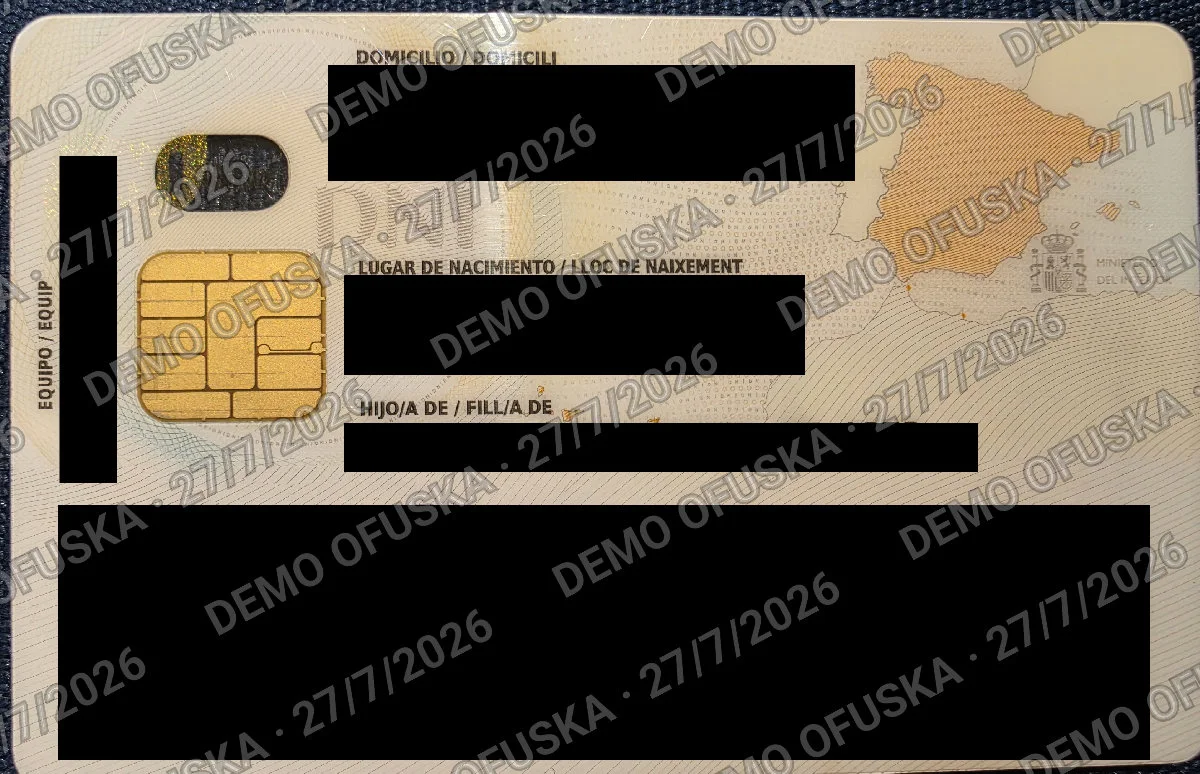
All four original PNGs retain the invisible watermark. The optimised versions shown here demonstrate the result, but cannot be used to check the watermark.
Three clear steps
- 1
Store
Photograph your ID card, passport, driving licence or health card. Before saving it, you can rotate, flip and crop the image manually; it is then encrypted on your phone.
- 2
Redact
Hide details with the brush or rectangles and save reusable masks. Pro adds per-photo templates; the What to hide guide helps with each use case.
- 3
Trace
Each copy carries an invisible watermark linked to that send. If you receive the image later, Verify Copy may be able to match it to the copy stored on your phone. It works with PNG and JPEG.
What you can do with Ofuska
Processed on your phone
Ofuska encrypts your documents on your phone with AES-256. You do not need an account, and Ofuska cannot see them.
Tools you control
Brushes, rectangles and reusable masks. Pro adds templates saved per photo; the What to hide guide helps you decide but does not place areas automatically.
Security mosaic
The recipient and date repeated diagonally across the image to make reuse outside that process harder.
Invisible watermark
It can match an image to the copy stored on your phone if the watermark survives cropping or compression. Older watermarks are labelled as legacy and are not equivalent to current verification.
Sending history
See which file you sent and who received it. Free keeps images or PDFs from the last three sends; Pro keeps them all. The rest of the history remains until you delete it.
Encrypted backup
Keep an encrypted backup in your Google Drive with a separate passphrase. Ofuska cannot read it, and you can choose a new PIN when you restore it.
No ads or first-party analytics
RevenueCat uses anonymous technical data to validate Pro purchases, but never receives your documents, PIN or recipient details.
Being asked for your ID?
Hotels, landlords, utility providers and online platforms may ask for a copy of your ID. See what to share and what to hide in each situation.
Free for the essentials. Pro for everything else.
Core protection is free. Pro adds unlimited documents and masks, per-photo templates, full history and control over the Ofuska footer. It is a one-off €4.99 in Spain; elsewhere Google Play shows the local price.
Compare Free and ProFrequently asked questions
- Is it safe to send my DNI by WhatsApp or email?
- Reduce the details shown before you send it. Ofuska helps you hide what is not needed, add the recipient and date, and keep a local record of the send.
- Does Ofuska upload my documents to a server?
- Documents, PINs and recipients are not sent to Ofuska. The optional backup is encrypted with a separate passphrase of at least 12 characters before it reaches your Drive. Uninstalling does not delete that Drive vault.
- How much does it cost?
- Ofuska has a free version. Pro is a one-off €4.99 in Spain, with no subscription; Google Play sets the local price elsewhere.